TAOTAO CREATIVE TOOLS
Create AI images from your imagination.
Turn a description or a reference image into something new.
Choose your model, aspect ratio and style. Make the idea yours.
Verify your email to generate 20 free images per day
For your next creation
Text to image · Reference-image editingAI image creation
From product photos to storybook illustrations, describe what you have in mind.
Add a reference image to give your next creation a starting point.
MADE WITH TAOTAO
One starting point. Two possibilities.
Both images were generated with TaoTao. We described a white ceramic cup, then used the result as a reference to make it light blue.
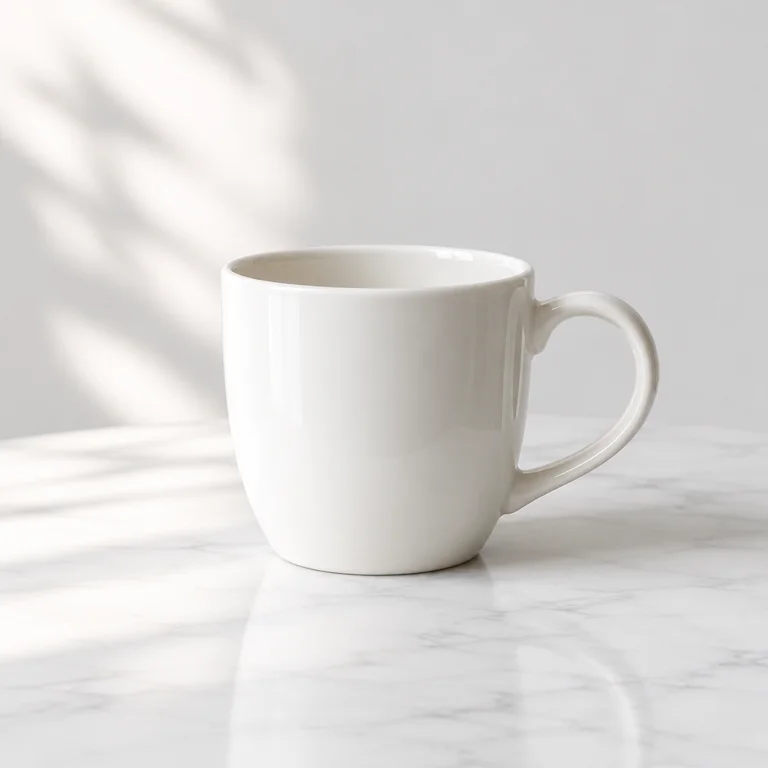
A white ceramic cup, a white tabletop and soft natural light.
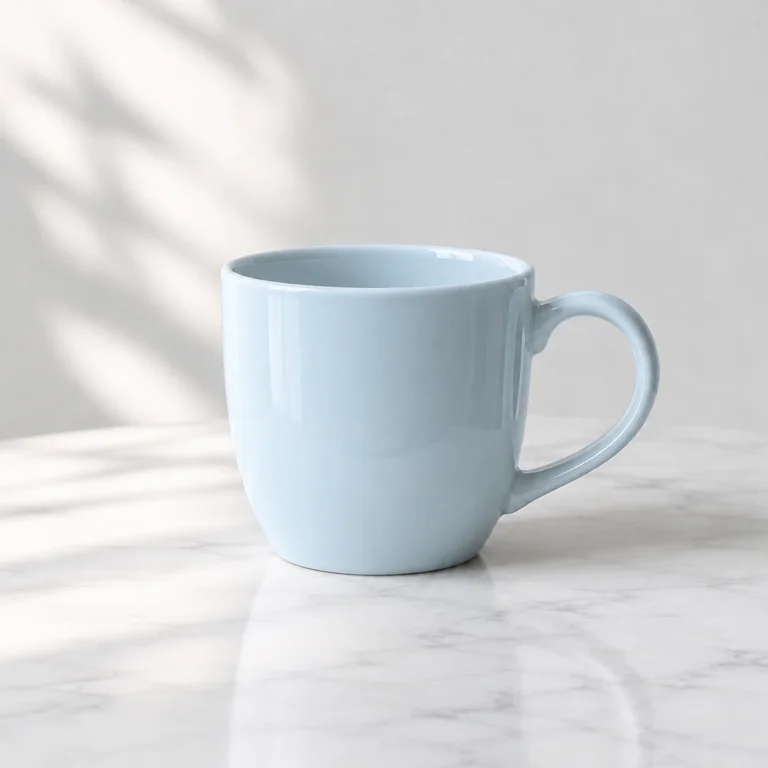
Keep the cup, composition and light. Change the color to light blue.
Public examples made for these guides. Your own images are private by default.
Make your first image easier
All guides ↗AI product photography: start with a ceramic cup
Build a clean product image by describing the subject, background and light. Includes a real TaoTao result, its exact prompt and settings.
Read the guide ↗02 / REFERENCE IMAGESReference-image editing: change the cup color
Use a generated white ceramic cup as a reference and change it to light blue. See the before-and-after images, exact instruction and workflow.
Read the guide ↗03 / SIZE & COMPOSITIONAI image aspect ratios: square, landscape or portrait?
Choose among nine image ratios, including 1:1, 4:3 and 16:9. See actual pixel dimensions and the rules for custom image sizes.
Read the guide ↗A few things before you start
How do text and reference images differ?
Text to image starts with a description. Reference-image generation uses an uploaded image together with your instructions. Describe what to keep and what to change, such as color, background or style. Details may change; this is not pixel-precise editing.
How do daily free credits work?
After signing up and verifying your email, the default allowance is 20 successful images per day, one image per request. Credits reset at 00:00 Beijing time (UTC+8). Your account shows your actual allowance; a site-wide daily request limit also applies.
Does a failed generation use a credit?
Confirmed failures release the reserved credit. If the provider result is uncertain, the credit stays reserved until the task is reviewed. Deleting a successful image does not refund a credit.
Which ratios and image formats are supported?
Choose 1:1, 2:3, 3:2, 3:4, 4:3, 16:9, 9:16, 21:9 or 9:21, or enter custom dimensions within the size limits. References can be JPG, PNG or WebP files up to 10 MB. Results download as PNG. Read the size guide ↗
Can other people see my images?
Your images are accessible only to your signed-in account by default. Public guide images are dedicated demonstration samples. Prompts and reference images are processed by OpenAI; see our privacy policy for details. Privacy policy ↗